October 19, 2026
When Should a Brand Use AI Images Instead of a Product Shoot?
Choose AI visuals, product photography, or a hybrid approach with a practical brief that separates creative freedom from the details customers rely on.
Use AI images when the job is to explore a visual idea, build an imaginative scene, or develop variations around an approved product image. Choose a shoot when the audience needs to see the actual product, people, place, or experience. Our recommendation: decide what must be accurate first, then choose the creative method around it.
You can also combine the two. Photograph the product carefully, then consider generated surroundings for a particular concept. The useful question is what the picture needs to communicate and which details the customer will rely on. That gives the team a better starting point than choosing a tool because everyone else is talking about it.
Separate an idea from evidence of the product
A mood board helps people agree on a direction. A product listing helps someone understand what they might receive. Those images carry different expectations. An invented sculptural landscape can be an exciting concept for a campaign. A close-up of a clasp, label, or fabric needs a dependable reference to the actual item.
Write a short list of details that cannot change: packaging shape, color, logo, product size, included pieces, and any feature the image explains. For a hotel or restaurant, that list might include the room layout or the dish being served. If the image is doing the work of showing those details, build the process around checking them.
Use generation to make creative decisions
Give exploration a question to answer. Are you deciding between a warm, playful setting and a quieter studio direction? Do you need to see how a surreal concept might work around the product? Make a few deliberate options, compare them against the brief, and pick a direction. Endless variations can become another way to avoid making the decision.
Keep concept images labeled as concepts while the team works. If a generated setting becomes part of the finished creative, agree on how the audience will understand it. A clearly imaginative composition has a different role from an image that appears to document a real customer experience. Choose a treatment you can explain plainly.
A hybrid approach still starts with a good source image
Adobe’s Firefly documentation describes using an uploaded product image to create a composited scene with a text prompt. Its Object Composites workflow is available through select enterprise plans. That is one documented example of combining source photography with generated surroundings; check access before building a production plan around a particular feature.
Source: Adobe — Create composite scenes with uploaded images
Our practical recommendation is to keep an approved original and compare the finished image against it. Review the label, silhouette, proportions, edges, reflections, and contact with the surface. A convincing background is only part of the job. The product needs to remain the product, and the lighting needs to make sense across the composition.
Know what a real shoot contributes
A shoot lets you direct actual people using the actual product in a shared setting. You can capture how someone holds it, the details around it, and the small interactions that give the scene personality. When those relationships are the story, include them in the brief rather than treating the product as an isolated object.
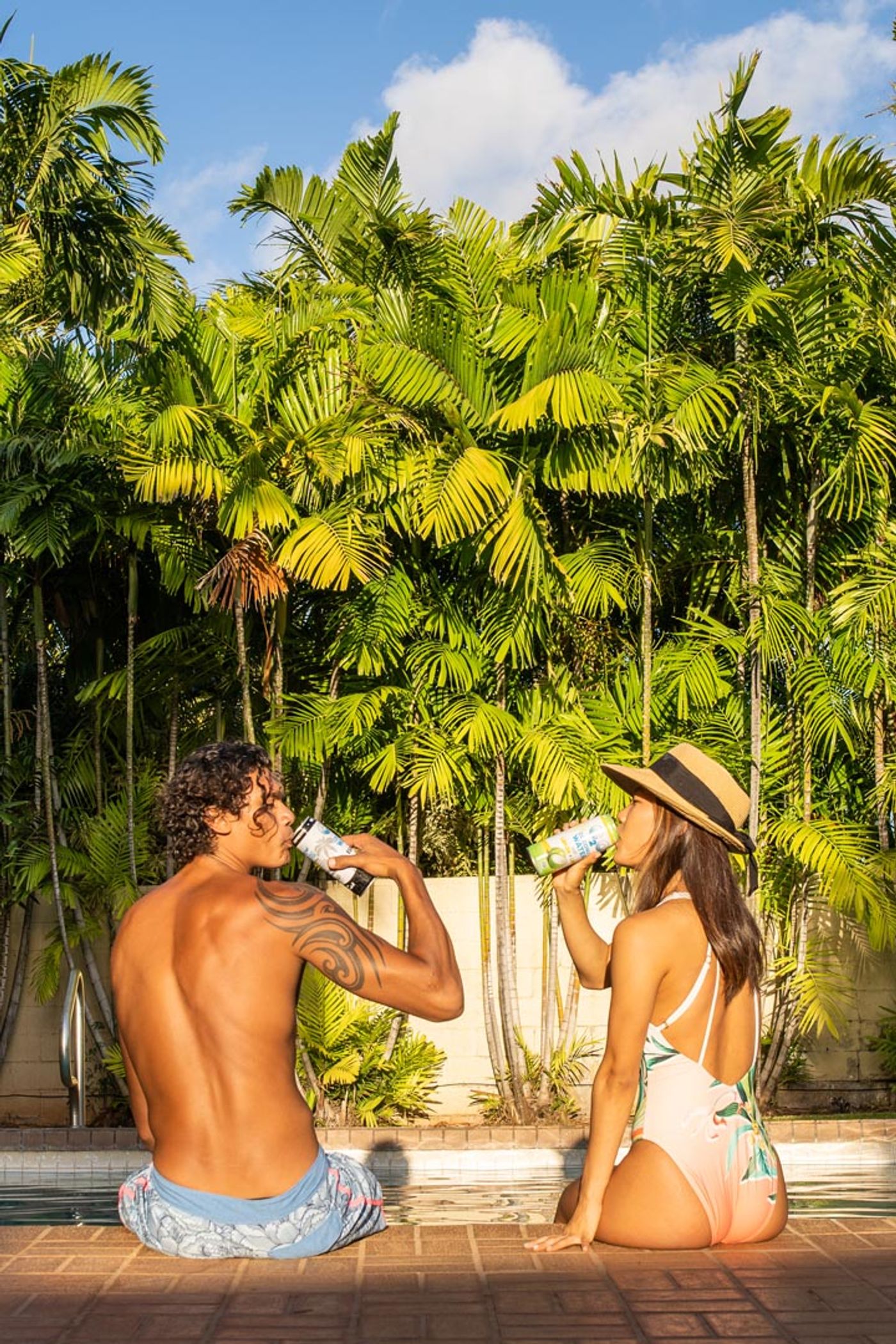
Repeak’s published C2O Coconut Water collection includes product and lifestyle photographs with poolside scenes, palm leaves, and close-up can details. It’s a useful reference for how packaging and an outdoor experience can sit together in a brand’s visual library. The portfolio example below illustrates that kind of product-and-people storytelling.
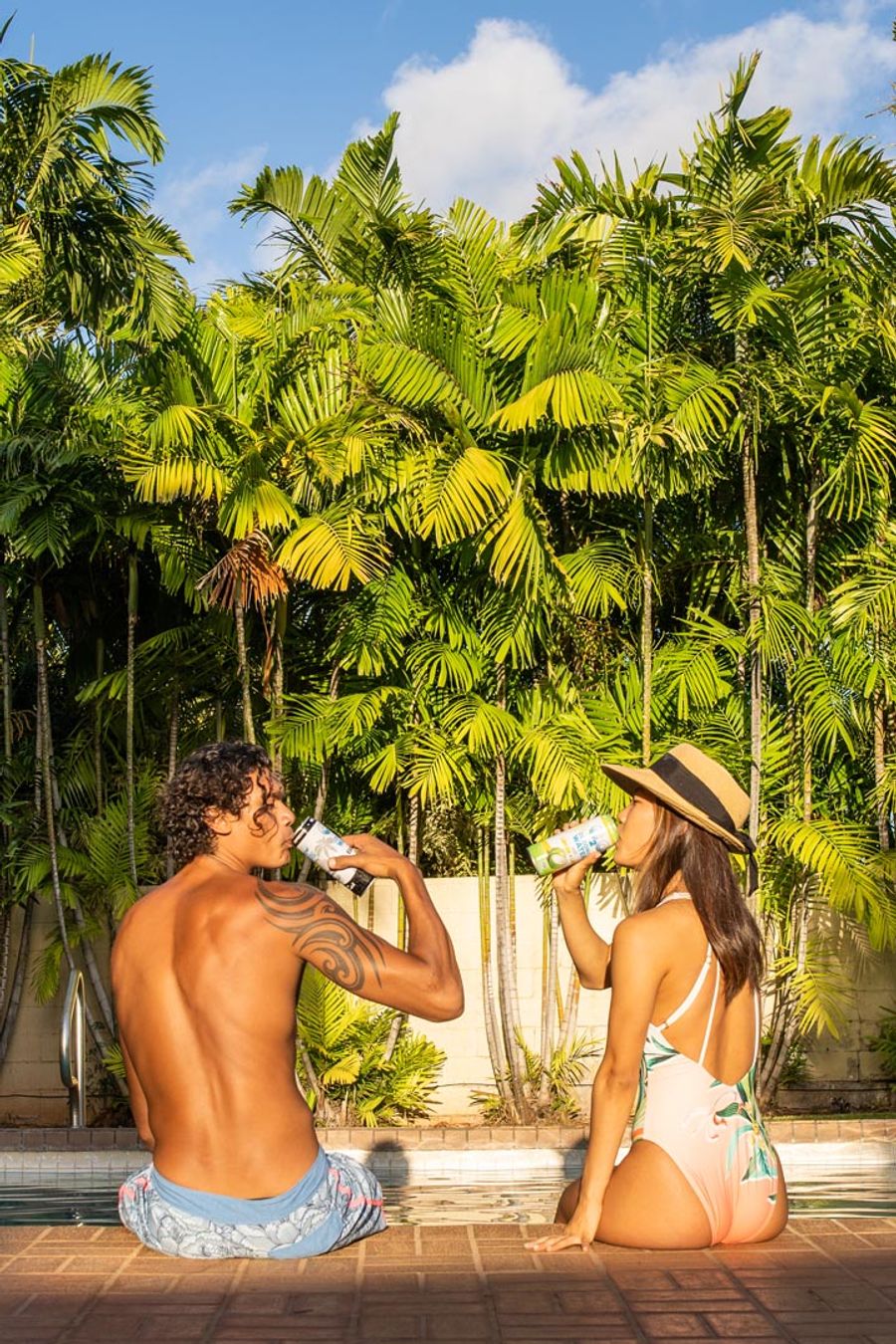
Explore Repeak’s C2O product and lifestyle work →
Use this brief to choose the approach
Before asking an agency for AI visuals or a photography quote, answer these questions on one page. They help identify which parts need a real reference, where there is room to experiment, and what someone must approve before the work is used.
- Purpose: what should someone understand after seeing this image? Name one job for it.
- Placement: where will it appear, and what space must it fit? Include room needed for text.
- Fixed details: which product features, people, or locations need to be represented accurately? Supply approved references.
- Creative freedom: what can be invented or changed? Describe the mood, setting, and boundaries in plain language.
- Source material: do you have suitable product photographs already, or does the brief need a shoot first?
- Review: who knows the product well enough to compare the final image with the real thing?
- Delivery: which finished variations do you need, and who will put them to use? Agree on the actual scope.
Test a small idea before building a whole library
For a hypothetical beverage campaign, you might photograph the can clearly, develop a few imaginative background concepts, and finish one approved composition. Compare it with the brief before expanding the collection. If the story depends on friends sharing the drink by the pool, a lifestyle shoot may be the better foundation. The choice follows the idea.
Start today by sorting your next image needs into three groups: accurate product views, real people or experiences, and imaginative concepts. Pick one concept to explore and one reference image to protect. If you want help developing that direction and finishing the work, take a look at Repeak’s AI content service.